Adria Connell

Adria Connell

Instructional Designer · eLearning Developer · Learning Experience Designer

I design learning experiences and performance support that help people perform complex tasks with confidence. By combining instructional design, knowledge management, and technical documentation, I translate complex business processes into clear, practical learning solutions.

What I Do

Instructional Design

Business-focused learning solutions. I start with the problem, analyze the audience and the gap, and design the intervention that actually fits, which is not always a course.

eLearning Development

Interactive learning experiences built in Articulate Storyline, Rise, and iSpring Suite, with branching scenarios, narration, captions, and accessibility built in from the start.

Knowledge & Performance Support

Documentation, job aids, quick reference guides, knowledge management, and AI-assisted content that helps people find answers at the moment of need.

Case Studies

My Design Philosophy

Start with the business problem, not the course

Training is a solution, not a starting point. Sometimes the right answer is a knowledge article or a better process.

Design for performance, not completion

The goal is not finishing a course. It is doing the job correctly and confidently afterward.

Make complex information easy to use

Cognitive load theory is not academic to me. Every screen earns its place or gets cut.

Partner with SMEs to create practical learning

Subject matter experts hold the knowledge. My job is to draw it out, structure it, and make it usable for the people doing the work.

Performance Support

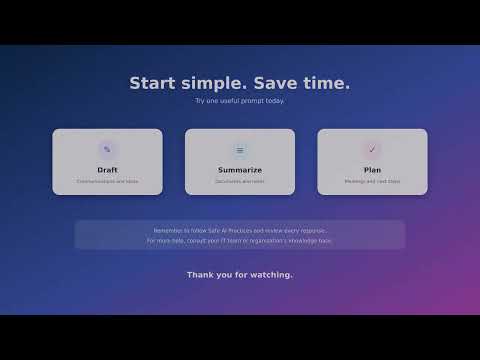
Video walkthrough of Microsoft Copilot for everyday workplace tasks
CamtasiaVideo walkthrough

Microsoft Copilot: Everyday Tasks

Some colleagues were hesitant about using Microsoft Copilot, unsure where to start or wary of AI tools generally. For colleagues who learn best by watching a task performed rather than reading instructions, I created a short walkthrough covering three everyday Microsoft Copilot tasks: drafting an email, summarizing meeting notes, and creating a meeting agenda, with narrated, real-time screen demonstrations.

Watch the walkthrough
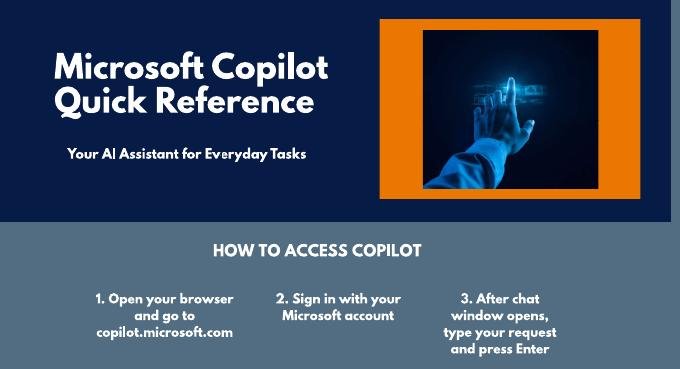
Header of the Microsoft Copilot Quick Reference Guide
CanvaQuick reference guide

Microsoft Copilot Quick Reference Guide

Purpose: For those who prefer a quick reference they can scan and return to as needed, I built this guide covering the same tasks, walking through each one step by step, plus essential practices for using AI safely and responsibly.

Design: Built for quick scanning: short instructions, clear headings, practical examples, minimal cognitive load, and visual consistency.

My role: Writing, organization, layout, and design.

View the guide (PDF)
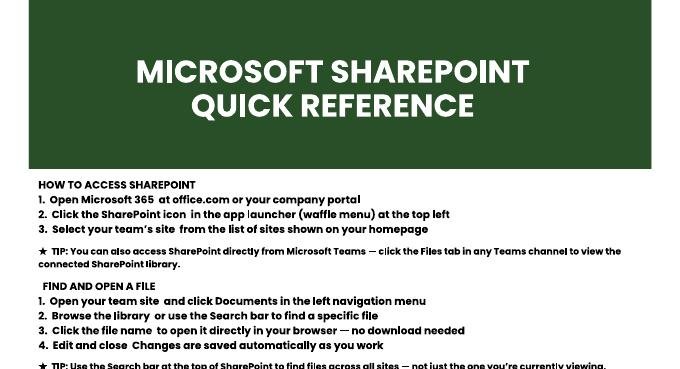
Header of the Microsoft SharePoint Quick Reference Guide
CanvaQuick reference guide

SharePoint Quick Reference Guide

Purpose: Help users understand and complete common SharePoint tasks, as a concise alternative to a longer course or procedure.

Design: Organized around the actions users most likely need to perform, with a visual layout that supports quick reference.

My role: Content development, organization, and visual design.

View the guide (PDF)

Professional Perspective

I taught Spanish, English, and ESL for twelve years, working with learners from kindergarten through university level. Teaching shaped the way I approach instructional design. I learned to recognize where learners struggle, anticipate misconceptions, and create learning experiences that build confidence through clarity.

In banking technology, I spent more than a decade in knowledge management and technical documentation, writing KCS knowledge articles, administering knowledge in ServiceNow, developing procedural documentation in SharePoint, and supporting documentation governance across multiple teams. Working in a regulated environment reinforced the importance of accuracy, consistency, and designing information people can trust and use.

Instructional design brings those two experiences together. I enjoy transforming complex processes into clear, practical learning experiences that help people perform their jobs with confidence. Whether developing eLearning, documentation, or performance support resources, my focus is always the same: making complex information understandable, usable, and meaningful.

Skills

Instructional Design

  • Needs analysis and audience analysis
  • ADDIE and SAM design models
  • Learning objectives and assessment design
  • Storyboarding and scenario writing
  • Adult learning principles and cognitive load theory

eLearning Development

  • Articulate Rise
  • iSpring Suite
  • Articulate Storyline 360 (portfolio practice)
  • Accessibility-conscious design (WCAG principles)
  • Narration, captioning, and interactive assessments
  • Camtasia (video editing and production)

Documentation & Knowledge Management

  • KCS-format knowledge base articles
  • ServiceNow Knowledge Administration
  • SharePoint documentation and governance
  • Job aids and quick reference guides
  • Process documentation and Visio workflows

AI-Assisted Content

  • Microsoft Copilot
  • AI drafting, editing, and verification workflows
  • AI narration and captioning tools
  • Synthesia, Descript, and Murf

Project Management

  • Microsoft Project
  • Cross-team project coordination
  • Documentation governance and review cycles
  • ITIL Foundations certified

Collaboration & Communication

  • SME partnership and content validation
  • Leading cross-functional meetings
  • Department-wide communications
  • Bilingual: English and Spanish

Certifications: KCS Contributor, ITIL Foundations, LinkedIn Learning Instructional Design certificates.

Résumé